Genesis Plus EX est un émulateur Windows développé par Hazem Abdelghani, basé sur le cœur open source de Genesis Plus GX. Ce fork propose un port natif pour Windows, sans SDL, avec plusieurs moteurs de rendu graphique et de nombreux filtres d’image. Il prend en charge la Mega Drive/Genesis, la Master System, la Game Gear, la SG-1000, le Mega CD/Sega CD, la 32X et la Pico.

Fonctionnalités:
– Émulation des consoles Mega Drive, Mega CD, 32X, Master System, Game Gear, SG-1000 et Sega Pico
– Émulation spécifique de la puce cartouche de Paprium et des pistes audio enrichies (MD+, 32X+ et MSU-MD)
– Plusieurs moteurs de rendu: GDI, Direct3D 9 et Direct3D 11
– Nombreux filtres graphiques: Scale2x, Scale3x, Eagle, xBRZ, MMPX, scanlines, masque CRT et filtres 4x
– Prise en charge des shaders au format .slangp via librashader (version 64 bits)
– Réglages vidéo: filtre NTSC, rémanence LCD, désentrelacement, mise à l’échelle (jusqu’à 10x), rotation de l’image, rapports d’image et overscan
– Émulation audio et processeurs fidèles: Motorola 68000, Z80, SH-2 (32X), puce FM Yamaha YM2612, PSG (SN76489) et puce vocale Pico
– Plusieurs cœurs audio FM, égaliseur et filtre passe-bas
– Configuration des commandes au clavier et manettes XInput/DirectInput (base SDL) avec gestion des axes analogiques
– Prise en charge des accessoires d’époque: Multitap, Mega Mouse, pistolets optiques (Menacer, Justifier), Activator et stylet Pico
– Module Storyware d’affichage interactif des livrets d’images pour Sega Pico
– Gestion des codes régionaux (USA, Japon, Europe), du format d’affichage (NTSC 60Hz / PAL 50Hz) et lancement direct des BIOS CD
– Sauvegardes d’état avec aperçus, gestionnaire visuel, vérification du checksum et annulation du dernier chargement
– Prise en charge des sauvegardes de type RAM (fichiers .srm et .sav) pour les jeux avec sauvegarde internal
– Fonction de retour en arrière (rewind pas à pas) et prise en charge des codes de triche Game Genie et Action Replay
– Debugger complet intégré: visionneurs mémoire (HEX), VDP, son et CPU avec outils RAM Search & Watch (.wch)
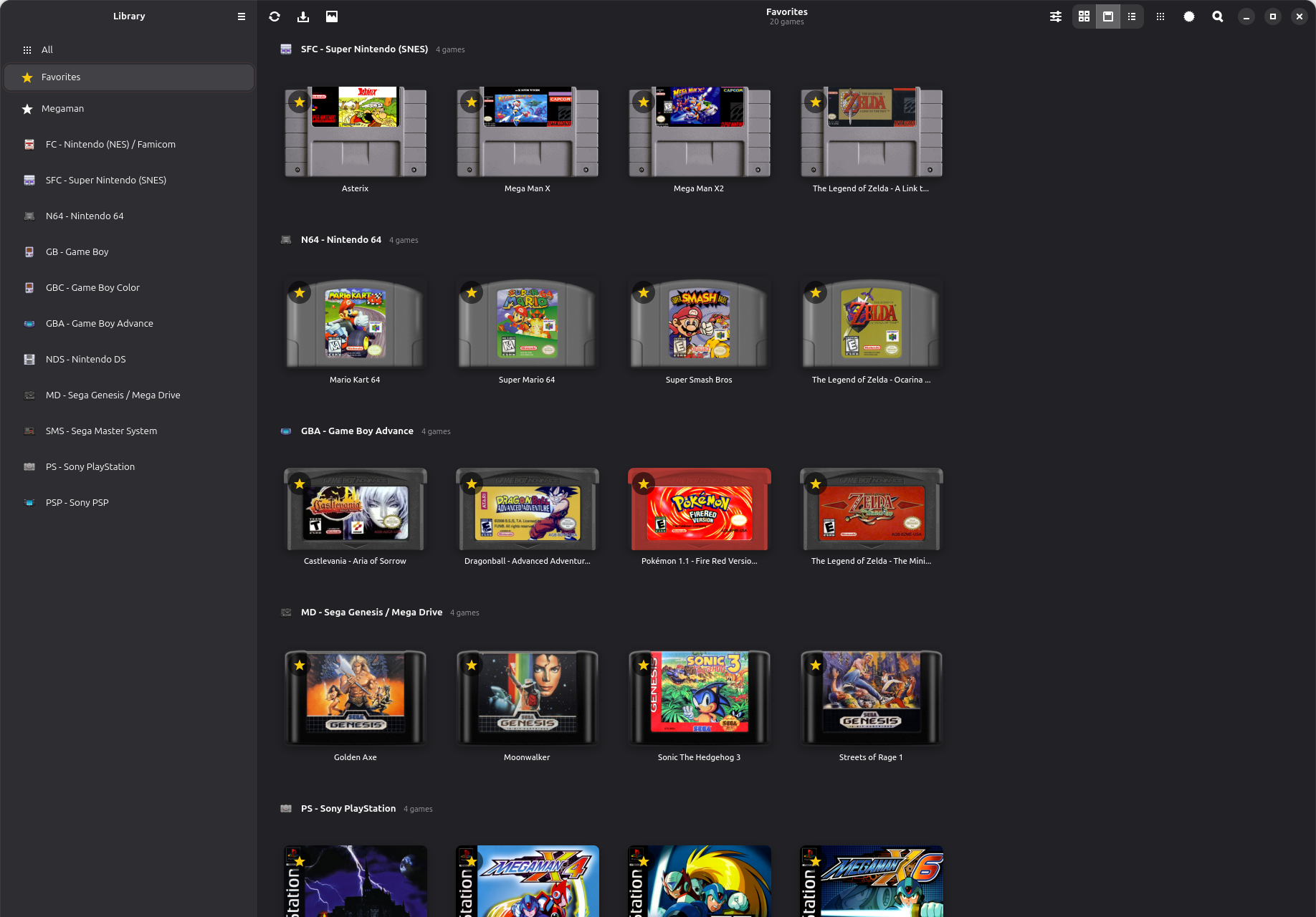
– Interface personnalisable avec 7 thèmes sombres et badges de console sur les jaquettes
– Navigateur de ROMs avec jaquettes, fichiers récents, filtre de recherche et lancement direct
– Lecture des archives ZIP, GZ et 7Z (y compris jeux multidisques et ROMs jusqu’à 96 Mo)
– Support multilingue par fichiers .po (Gettext) avec adaptation automatique des fenêtres
– Emplacements des dossiers de données (BIOS, Cheats, Saves, Images…) entièrement configurables
– Jeu en réseau local à deux joueurs
– Enregistrement vidéo avec audio au format MP4 et capture audio au format WAV
– Version portable: paramètres et données conservés à côté de l’exécutable ou dans %LOCALAPPDATA%
– Compatible avec les frontends LaunchBox, Pegasus, Playnite, ES-DE, EmulationStation et RetroBat
Les changements:
Games
– Paprium: the game’s cartridge chip is emulated in software, hooked in from outside the core. The Paprium support is by BillyTimeGames (Genesis-Plus-GX-Expanded-Rom-Size fork).
– MD+/32X+ games (for Mega Drive or 32X: a ROM with a .cue of the same name and WAV or OGG tracks) play their enhanced music. A Mega Drive game turns the MegaSD overlay on by itself; a 32X game is started from its sheet, as PicoDrive expects, and runs its sound at 44100 Hz whatever Settings > Audio > Sample Rate says (the other rates are grayed out while it runs): at 48000 Hz the music crackled. The ROM is listed, its .cue is not (this goes for MSU-MD games too).
– MSU-MD games (a ROM with a .cue and its audio .bin beside it, for Mega Drive or 32X) play their music. They need the Mega CD BIOS for the game’s region in BIOS. Open the ROM, not the .cue.
– Games in a .zip or .7z: a cartridge game that is not the first file of the archive (a ROM beside a soundtrack or a manual) now loads, and Paprium also reads its soundtrack from the archive. Mega CD discs (a .cue with its tracks, a .chd or an .iso) and MD+/32X+ games (the ROM, its .cue and the audio) load too: the archive is unpacked whole to a temporary folder while the game plays, and the folder is removed when it closes. The 7z reader now decodes the Delta and branch filters too. Note: a game kept in an archive like this takes much longer to start (the whole archive, audio and disc tracks included, is unpacked first), so it is better kept unpacked in a folder.
– A ROM with a .cue of the same name that lists audio tracks only (all the tracks in one .bin, as MSU-MD games have), in a .zip or .7z, is started as a game with music; before it was taken for a Mega CD disc and showed the Mega CD player.
– A Mega CD .cue sheet whose FILE line names its data file without the extension (FILE « Game » BINARY for Game.bin) now loads; before, the disc showed a black screen.
– A .cue or .chd that cannot be read as a disc (its track files are missing) now says so; before, its text was run as a ROM and the screen stayed black.
– ROMs up to 96 MB (the limit was 32 MB; this takes the large Sega Channel Revival images).
– File > Run Mega CD BIOS (USA, Europe, Japan): the BIOS on its own, with no disc.
– Controls > Player 1 / Player 2 > Allow Opposing Directions: lets Left and Right, or Up and Down, be held together (a real pad cannot do it, so only one of the two reaches the game unless this is ticked).
– Tools > Fix Checksum… and a second, header-range checksum in ROM Info.
– Emulate Mega CD Disc Latency is on at first, as in Genesis Plus GX (a CD game can show a black screen without the real drive’s delay).
– A Mega CD game that fails to start because its BIOS is missing now shows a message naming the BIOS file it needs (for example bios_CD_U.bin) and the BIOS folder to put it in.
Sega Pico
– The voices of the games play: the console’s speech chip is made in the program (from PicoDrive’s), as the Genesis Plus GX core leaves it out.
– Page Down and Page Up (Input > Hotkeys) turn to the previous and next page of the storybook, up to page 7. LB and RB do it on an Xbox pad.
– Default controls: D-pad = arrow keys / pad D-pad or left stick; red button = Z, X or C, the right mouse button, or the pad’s face buttons; pen = the mouse (left button), or the right stick with RT / R2 / R3 / Start to touch; previous / next page = Page Down / Page Up, or LB / RB (L1 / R1 on a PlayStation pad, L / R on a Switch pad: the same places on any pad).
– A Storyware window shows the open page as big as its picture, and opens with the closed book when the game starts. The pictures are your own scans in Images/Pico-Storyware//, named _1.png, _2.png … (_0.png is the closed book).
– The pen is the mouse: over the game it is on the pad, where the game draws its own pointer; over the Storyware window it is on the book’s page, so what is printed in the book can be clicked. The right stick of a gamepad moves the pen too (RT, a press of the stick or Start touches with it).
– The D-pad and the red button follow Player 1’s D-pad and A, B or C button.
– The mouse pointer is hidden over the game, and the gamepad hotkeys on the right stick, Fast Forward and Rewind are off.
– The Storyware window goes with the program’s window when it is minimized or brought back, and bringing the Storyware window back from the taskbar brings the program’s window back too.
Themes
– Seven new colored dark themes: Sapphire, Ruby, Emerald, Amethyst, Amber, Aquamarine and Diamond (View > Theme, or Settings > General). Backgrounds, text boxes, lists, menus, toolbar, title bar (Windows 11), buttons, drop-downs, the back-to-top button and the scroll bars of lists and text boxes follow the theme.
– The Style and Theme choices keep the View menu open, like the other View choices.
Debugger
– One Debugger window (Tools > Debugger…) with tabs (Memory, VDP, Sound, CPU, RAM Search, RAM Watch) and a View menu; its own taskbar button.
– CPU Debugger: breakpoints on execute, read and write, step into / over / out, run to cursor, disassembly, registers and a call stack for the 68000, and for a 32X game also the Master and Slave SH-2.
– Memory Viewer (hex, every memory can be edited), VDP Viewer (registers, palette, tiles, planes, sprites, scroll plots), Sound Viewer (FM envelopes, PSG, PCM, 32X PWM) and CPU Viewer.
– RAM Search and RAM Watch, also for the 32X SDRAM; a RAM Watch list is opened and saved from the RAM Watch tab (Open… / Save…, the .wch format of Gens).
– A tooltip on every control of the debug windows.
– Credit: the debug tools are a port of gpgx_debugger by Vladimir Kononovich (lab313ru).
Languages
– Options > Language loads translations from Languages/*.po (UTF-8, the gettext format). Only English ships; Languages/Template.pot is the template, so the community can make translations, for example with Poedit. A text left untranslated stays English.
– Windows made for English are fitted to longer text: buttons, labels, check boxes and drop-downs widen, dialogs grow, the Controls and Settings windows stretch.
– tools/make_pot.py makes the template again from the source.
Deinterlacing
– Video > Visual Effects > Deinterlacing: in a game that uses the 448-line interlaced mode (Sonic the Hedgehog 2 in 2P Vs. mode, Ys III, Air Strike Patrol …) the graphics processor draws both fields of the picture from the same moment in every frame, so nothing that moves is combed. It gives a cleaner picture than the Interlaced Mode of Genesis Plus GX. It does not touch other games. While it is on, Interlaced Mode is not used; it keeps your choice for when you switch Deinterlacing off.
Folders and Settings
– Settings > General > Data Folders…: choose where each folder beside the program is (BIOS, Cheats, Images, Languages, Profiles, Recordings, Saves, Screenshots, Shaders, States; by name), with a path box and a … button for each and a Defaults button. Files already in an old place are not moved.
– Images is a new folder beside the program: it holds Covers, Bezels and Pico-Storyware (the pages of Sega Pico books). If you used an older version, move your Covers and Bezels folders into the new Images folder.
– When the program’s folder cannot be written to (for example Program Files), settings, saves and the other data are kept in %LOCALAPPDATA%\Genesis Plus EX instead of asking you to move the program.
– Scan Subfolders moved into the ROM Directories window.
– File > Change Disc… (it was Insert Disc).
Controllers
– Controller layouts for DirectInput pads come from SDL’s game controller database (866 Windows pads, found by USB vendor and product id), on top of the maker’s layout for Sony and Nintendo pads.
– A trigger that is an analog axis can be assigned like a button (it shows as Axis Z+, Axis RX- …).
– Controls > Test Keys now names every pad button or axis the pad reports as pressed, mapped or not.
– The Controls window refreshes its device list by itself when a pad is plugged in or out.
– A pad button that is stuck is left out while listening for a button, so the others can be assigned.
– Switching between an Xbox pad and another kind of pad (PlayStation, Switch, a generic joystick) now gives the new pad its own default buttons, unless you had customized them.
– Settings, profiles and gamepad hotkeys are read and written with 64-bit button masks; files of earlier versions load as they were.
– Credit: the layouts are from SDL_GameControllerDB (zlib license, Copyright (C) 1997-2025 Sam Lantinga and the contributors of the database).
Picture
– Console Badge on Covers: a small coloured tag (MD, MCD, 32X, SMS, GG, SG, PICO) in the corner of each cover in the grid view, to tell the consoles apart. It can be turned off in Settings > General.
– Video > Window Size now goes up to 10x (it was 6x), and the window may be larger than the screen. A window dragged to a size keeps it when a game is loaded or closed, until a size is chosen again in Window Size. A Window Size you chose is kept when the program starts on a screen that is too small for it (it was lowered and saved); the top left of the window stays on the screen. The first run, with no size chosen yet, still opens at the size that fits.
– In the Video menu, the choices in Render Filter, Visual Effects, Scanlines, NTSC Filter, Aspect Ratio, Rotation and Borders keep the menu open after a click, like the View menu’s.
– Video > Picture Adjustments has a Brightness slider at the top (-50% to +50%).
– The mouse buttons did not reach the game with the Direct3D 11 renderer (the Mega Mouse, the light guns, the Sega Pico pen and red button, the Graphic Board pen); they do now.
– Show Light Gun Crosshair is on by default.
– Confine Mouse to the Picture: pressing the Windows key or Alt+Tab lets the pointer go until you click in the picture (it was held again at once, so after the Windows key the toolbar could not be reached).
– Hide Mouse Pointer has a new choice, Always, below Never.
– VSync with the Direct3D 11 renderer now waits for the display in the swap chain itself (a real VSync); the other renderers still wait for the Windows compositor. Still skipped for a frame whenever the sound buffer runs low.
– Skip Intro on Launch: the tooltip and the User Guide say the seconds are seconds of game time, which take much less real time.
– Video > Rotation: the picture turned by 90, 180 or 270 degrees, for games made to be played with the screen on its side.
– More render filters: MMPX 2x and MMPX Enhanced 2x (MMPX by Morgan McGuire and Mara Gagiu; Enhanced by CrashGG), 2x versions of Lanczos, Catmull-Rom, B-Spline, Mitchell, Sharp Bilinear and LCD Grid, and 4xSaI, Super 4xSaI, Super Eagle 4x, Eagle 4x and Scale4x.
Fixes and Small Changes
– Accented text in menus and the status bar is converted explicitly from UTF-8, whatever the code page of Windows is.
– Game names with Chinese, Japanese or accented letters show correctly in the game list and the grid (they were shown as other characters).
– Save-state buffers have room for Paprium’s chip on top of the core’s worst case.
– A save state remembers the checksum of the ROM it was made from: loading it into a different ROM (two files with one name share their saves) asks first instead of crashing the game.
– Open Game Folders submenu shows the game’s ROM in Explorer and opens its saves, states and cheats folders.
– File > Open ROM… starts in the ROMs folder beside the program when no ROM directory is set (it was Documents).
– Command line: –config FILE uses another settings file, and –profile NAME a controls profile.
– Refresh (toolbar and right-click menu) looks at every file again, instead of using the saved game list.
– The File Type column of the game list tells what is in an archive, then the archive: MD (ZIP), 32X (7Z), MCD (ZIP).
– The filter bar has a Filters: label, its button is Reset (as wide as the search bar’s Close) and both buttons have tooltips.
– The log is far more complete: the machine, the whole settings file, a report for each game and a summary when it closes.
– While the game is paused, each press of the rewind key goes back one frame (held longer, frame after frame), and Tab advances one frame like the frame button advance key (\).
Télécharger Genesis-Plus EX v3.1.0 (10.2 Mo)
Site Officiel
En savoir plus…